
UppyPix1.0 - Google Play
You'll be able to see results in few seconds.
Publisher Description
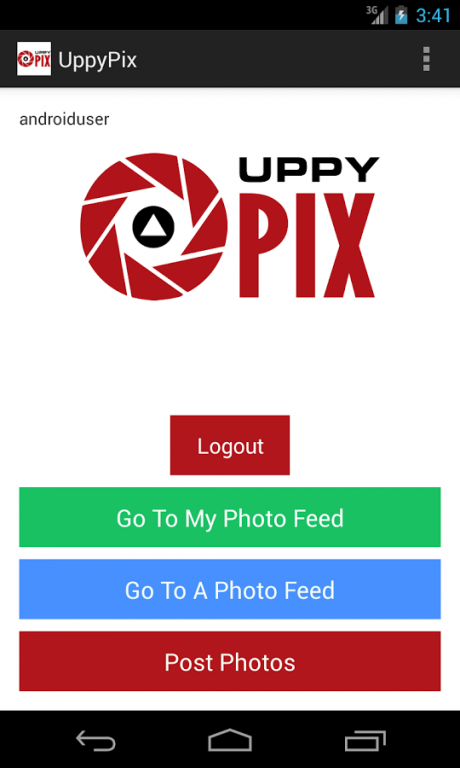
UppyPix...Share Life As It Happens
Android Phone and Tablet users can now share their photos with the world with UppyPix!
UppyPix was created to make all of our lives easier, especially with sharing photos fast! UppyPix allows you to view photos from events, parties, hangouts, feeding your cat, or just about anything you can image.
You do not even have to sign up to be a user to view someones photo feed. Imagine this...you are at an event and would love to show all your friends, family members, or people you work with what you are seeing live. Your first thought, I can post to Facebook, twitter, Instagram, etc? But wait, I don't know if I want all these pics on my phone taking up space or maybe I do not want to post all of these photos to Facebook to have them all in my feed. Or maybe you only want certain people to see these photos.
Well that is where UppyPix fills the need with speed! UppyPix gives anyone who signs up their own personal photo feed that anyone can view instantly. Just Snap a photo and post! That is it. How do other people view my feed? Just visit UppyPix.com and enter the username of the person you want to view! You can also post a link on Facebook and Twitter so people can go to your Photo Feed instantly and watch your photos live!
All Photos will be deleted from UppyPix after 30 days, so you never have to worry about your photo feed becoming boring or old!
Create unlimited photo feeds for a birthday, wedding, sporting event, hanging around the house, school activities, or just sitting around the house. Movie stars can create a photo feed show us a live feed of what is going on! The possibilities are endless with UppyPix!
Latest PRMac.com Press Release:
http://prmac.com/release-id-64343.htm
Latest PRweb.com Press Release:
http://www.prweb.com/releases/2014/01/prweb11468557.htm
Ver 5.6 Added switch button to get current weather for your location. GPS switch must be turned on first, then the local temp will be added to the caption! Cosmetic fixes on post screen.
Ver 5.5 Added switch button to allow you to save photos to your gallery after posting a photo! This way you can also save photos to gallery every time you post a photo.
Ver 5.4 We added more to our GPS feature. Now you get lat and long and the closest address when you turn the GPS switch on, and that will be added to the caption of the photo you are about to post.
Ver 5.3 Added GPS to photos. When you turn GPS switch on, your current location will be added to the caption of the photo you are about to post.
Ver 5.1 Changed colors of title and date when viewing a photo feed for better clarity and ease of reading.
Ver 5.0 Increased size of photos when viewing any feed, and when tapping on a photo , all options like delete, save, etc will be in the options menu now.
Ver 4.9 Increase quality of photos and better aspect ratio of taking photos when posting.
Ver 4.8 - B/W and Sepia! Now you can convert your photos to Black And White or Sepia before you post your photos!
Ver 4.7 - Auto adjust fix for portrait or landscape photo taking
Ver 4.6 - Post Immediately Feature - When selecting a photo from gallery or camera, now when you turn on the POST IMMEDIATELY switch, once you get the photo, it automatically posts photo to UppyPix.com, and then immediately loads the gallery or camera so you can snap and post photos much faster!
Ver 4.4 - New Features! Now you can view the last photo posted as well as copy photos from other feeds into your feed.
Ver 4.3 - Bug fixes, faster uploads/downloads.
Ver 4.2 - Added New Subby Accounts! Create more than one photo feed account really easy! Read more at http://uppypix.com/SubbysInfo.aspx
Ver 4.1. - Introducing our new Icon!
Ver 4.0. - Now logged in users can post comments to a users photo feed! You can view all comments as well as post comments!
About UppyPix
The company that develops UppyPix is Dash Technologies. The latest version released by its developer is 1.0.
To install UppyPix on your Android device, just click the green Continue To App button above to start the installation process. The app is listed on our website since 2014-04-18 and was downloaded 0 times. We have already checked if the download link is safe, however for your own protection we recommend that you scan the downloaded app with your antivirus. Your antivirus may detect the UppyPix as malware as malware if the download link to com.dashtechonline.uppypix is broken.
How to install UppyPix on your Android device:
- Click on the Continue To App button on our website. This will redirect you to Google Play.
- Once the UppyPix is shown in the Google Play listing of your Android device, you can start its download and installation. Tap on the Install button located below the search bar and to the right of the app icon.
- A pop-up window with the permissions required by UppyPix will be shown. Click on Accept to continue the process.
- UppyPix will be downloaded onto your device, displaying a progress. Once the download completes, the installation will start and you'll get a notification after the installation is finished.
Program Details
System requirements
Download information
Pricing
Version History
version 1.0
posted on 2014-04-18
Ver 6.2 minor fix for posting photos.
Disclaimer
Official Google Play Link
We do not host UppyPix on our servers. We did not scan it for viruses, adware, spyware or other type of malware. This app is hosted by Google and passed their terms and conditions to be listed there. We recommend caution when installing it.
The Google Play link for UppyPix is provided to you by apps112.com without any warranties, representations or guarantees of any kind, so access it at your own risk.
If you have questions regarding this particular app contact the publisher directly. For questions about the functionalities of apps112.com contact us.
